Part 3 of 5AI SDLC: cheaper code & new risks to manage
How the agents build: from spec to production without a hand-off
What happens between "approved" and "live" when agents do the building: method, parallel work, limits on what the agent may do, and automated gates.
The first pull request of the day was opened at 15:04 and merged at 15:12, with no person in between. This part explains how that works: how the agents plan, how they work in parallel without colliding, what they are and are not allowed to do, and how code reaches production with no hand-off between people. It is the most technical part of the series. If some of it is not your language, ask the assistant on this page to explain any paragraph in plain words.
Plan first: specifications, tests and verification
The interview in Part 1 fills in what the AI does not know. What comes next is method. My agents use Superpowers, an open-source set of skills for coding agents. They brainstorm the design, write a plan of small tasks with file paths and checks, write the tests before the code, run a fresh sub-agent for each task and verify the result before they call anything done.
In this run, before any code, the Dispatcher sent three read-only sub-agents to study the codebase: the website and search, the assistant and its costs, and the admin panel with CI and deployment. From their findings it wrote two documents within four minutes: a draft of the article file format and a shared specification for all three features, with the first numbered decisions. Every later plan refers back to them.
A fresh sub-agent per task is also how I manage context. An agent's working memory is limited, and the more it holds, the worse and more expensive its work gets. So each sub-agent gets only what its task needs: the brief, the specification and the relevant files, not the whole conversation. Whatever has to survive lives in files (plans, decisions, status), not in anyone's memory. The main session stays small because the heavy work happens elsewhere.
This structure is what lets several agents run in parallel without supervision. Each one gets written specifications, tests that define done and steps to verify the result. My attention goes to the specifications, the tests and the checks.
To see how it works, start with Jesse Vincent's post What a year from October 2026, written for the project's first anniversary and the release of Superpowers 7.0, then the repository.
Watch out: no definition of done. Agents are only as good as the definition of done they get. A plan without tests lets parallel agents produce plausible code that nobody verified. Ask to see the specification and the tests as well as the demo. Reviewing them is the job of engineering leads and senior specialists. They do not have to write the plans, designs and tests themselves, but they have to review them, fill the gaps and take ownership. Delivery, program and project managers still own the whole.
Many agents, one owner of integration
The work was split into four packages: a shared foundation, the articles section, the admin panel and the assistant. Each package went to a sub-agent with a self-contained brief: the plan, the decisions and their wording, the project rules and the methods to use. Each one worked in its own copy of the repository, on its own branch, so parallel work never touched the same files on disk. The foundation went first, and the other three started as soon as their dependencies allowed.
Separate work also means separate sessions. When the agent in Part 1 believed a stale document, the fix did not happen in the session I was working in. On my instruction, that session prepared a separate one for the fix and handed the work over, so I could stay focused on the main work. The main session does not fill up with unrelated work, and the other session does one job. Knowing when a task deserves its own session or sub-agent takes some judgment, and you get it with practice.
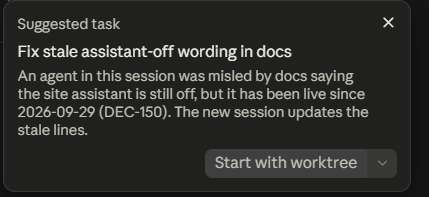
When that second session finished, I did not let it merge on its own. I asked it to write down what we had agreed, ask any open questions, hand everything to the Dispatcher and close.
Two agents changing the same code in parallel will collide. With one Dispatcher there is one owner of the merge, and if a conflict appears, the agent resolving it has the full context of both changes. Even so, parallel packages collided more than once in this run, in a shared list of open items, and one automatic merge stopped until the conflict was resolved.
The same applies to a team. If every developer runs their own agents against the same codebase, they will overwrite each other's work. I have run this setup alone; for a team, this is the model I would test first:
- Many sessions or developers feed one Dispatcher. Each session hands over a task with its questions already answered and closes once its specification is complete.
- A question stops one branch, not the run. When the Dispatcher needs an answer, only that package waits; everything else keeps going.
- One document at the end. When every package is finished or blocked, the team gets one document: the decisions taken (each can still be changed), the open questions and blockers, and the tasks only a human can do, such as creating secrets or paying for a tool.
- One owner of integration. Everyone works in parallel on their own branches, and the Dispatcher merges. It can warn that a feature is already in progress and run features that are likely to clash one after another.
Watch out: agents colliding in the same code. Parallel agents multiply merge conflicts as well as output. Decide who owns integration before you add more agents. Routing work between agents and people so they do not collide is now a core engineering and delivery skill.
What the agent is allowed to do
The first question I get from other delivery managers is about control: you let an agent deploy to production? Yes, within rules I wrote myself in the project's instructions for agents. They are short:
- Allowed without asking: merge its own pull request after every check is green, deploy the main branch to the server with the project's release script, run the live checks, roll back to the previous release if a check fails, and read the server's state and logs. A paid test of the site assistant on the real model may cost at most 0.50 USD per run.
- Only with my yes: anything that touches secrets or the server's configuration, external accounts, spending above that limit, messages sent in my name, legal texts, and switching a feature on for visitors.
- On record, always: every decision gets a number in the decision log, with its alternatives. Every pull request lists the new sentences visitors will see. Every server action goes into the session summary, and the Dispatcher keeps a status file with its own mistakes.
More useful than the rules is the record. When something goes wrong, I can see which agent did what, when and why, without asking anyone.
The gates: CI, auto-merge and live checks
This is the part a delivery manager rarely sees: what happens between "approved" and "live". Here it is in the order it ran.
- Everything on record. Code lives in branches and pull requests, decisions in the numbered log, progress and blockers in the status file, follow-ups in open items and new ideas in the backlog. I can open any of them at any time.
- CI as the gate. Before opening a pull request, each sub-agent runs the project's own checks locally: lint, types, unit tests and a production build. Then CI runs them again, plus content checks: no em dashes, no forbidden phrases, no number without a source. Two mistakes in the foundation package were caught before the pull request existed: a loop in the list parser that ran the test worker out of memory, and an editing tool that turned an escaped character into a forbidden dash inside a test.
- Auto-merge on green. A pull request labelled for auto-merge is merged by the last CI job, but only when everything is green. The first one was opened at 15:04 and merged at 15:12 with no human in between. After the merge, every check runs once more on the main branch, with the same settings as production. Only if that run is green too can the code be deployed.
- Deployment with live checks. Only a green main branch reaches the server. The agent deploys it with the release script and runs a fixed list of 294 live checks against the real site. If one fails, it rolls back to the previous release and reports it. Unfinished features stay behind a flag.
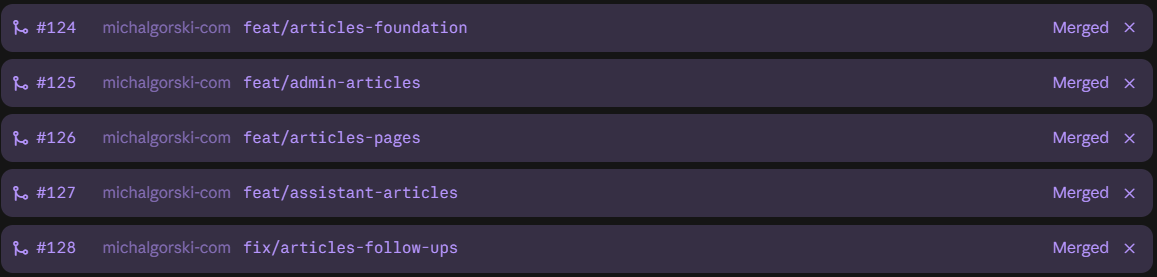
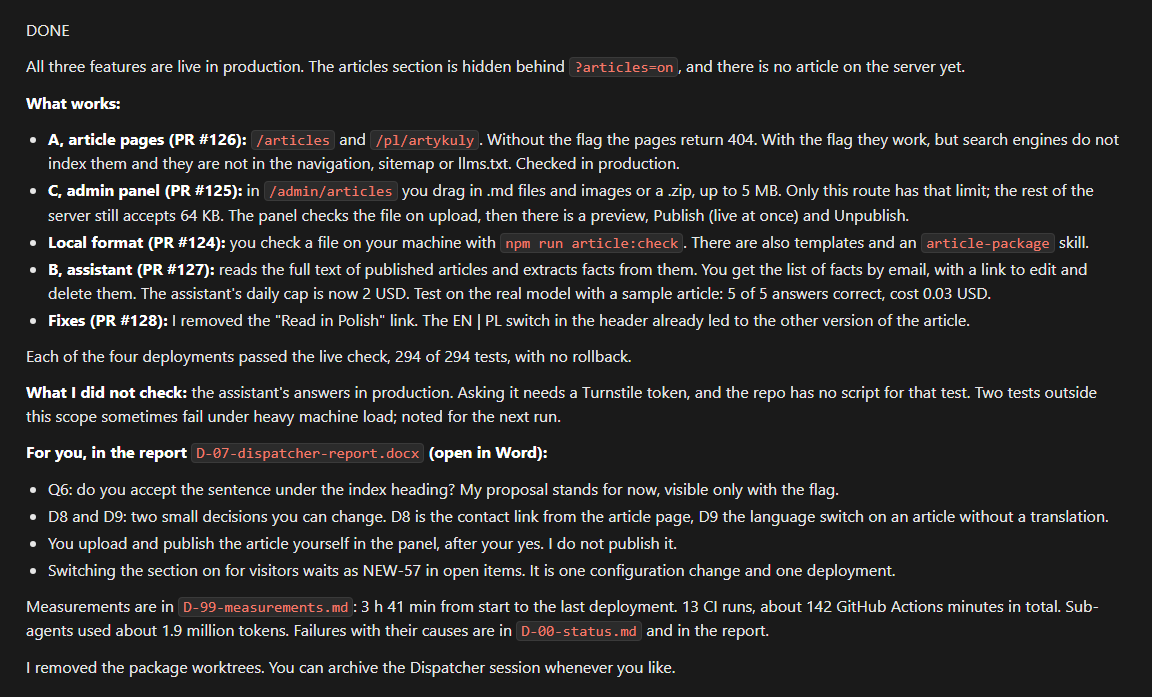
At 16:49 all three features were live behind the flag:
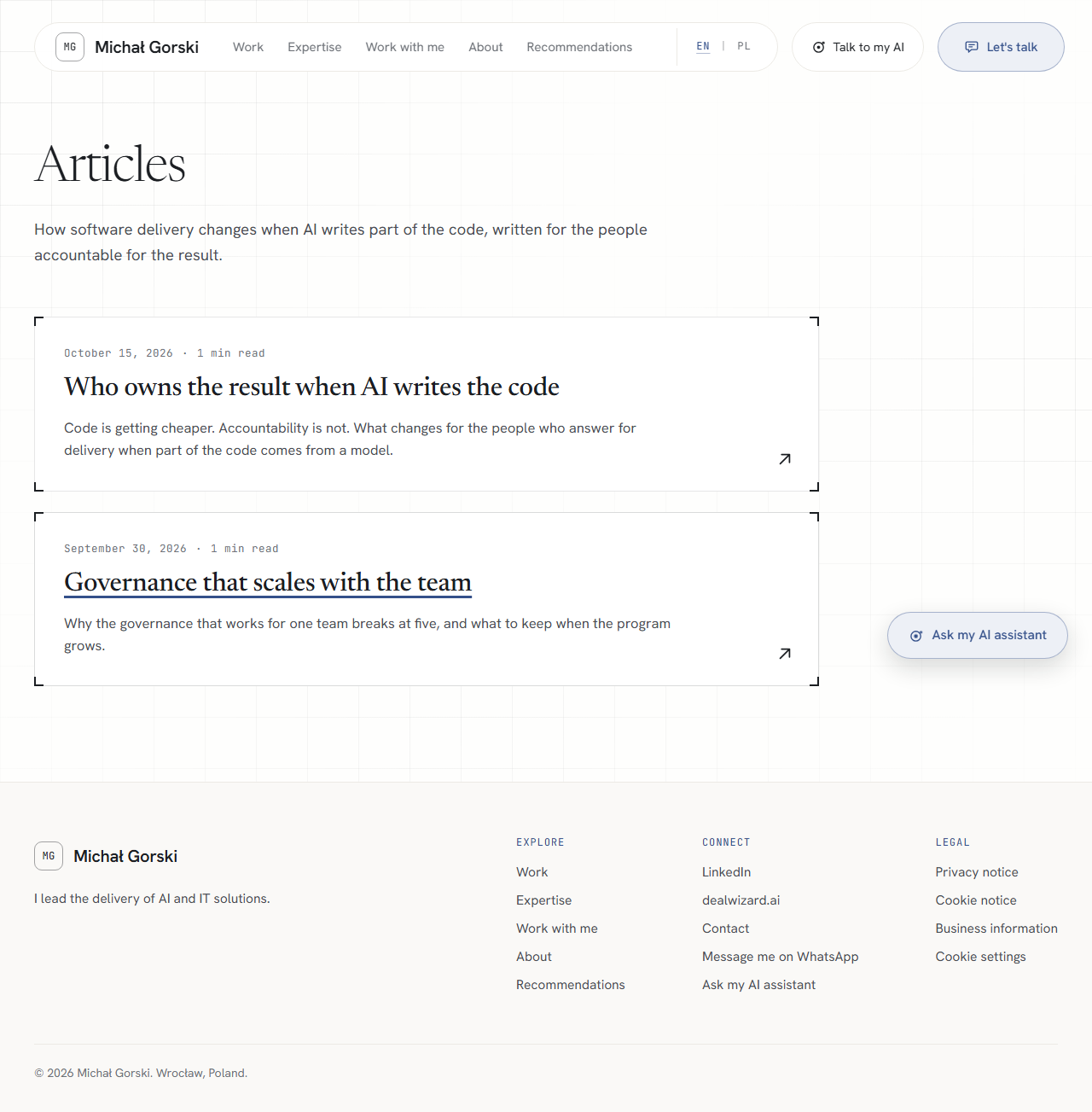
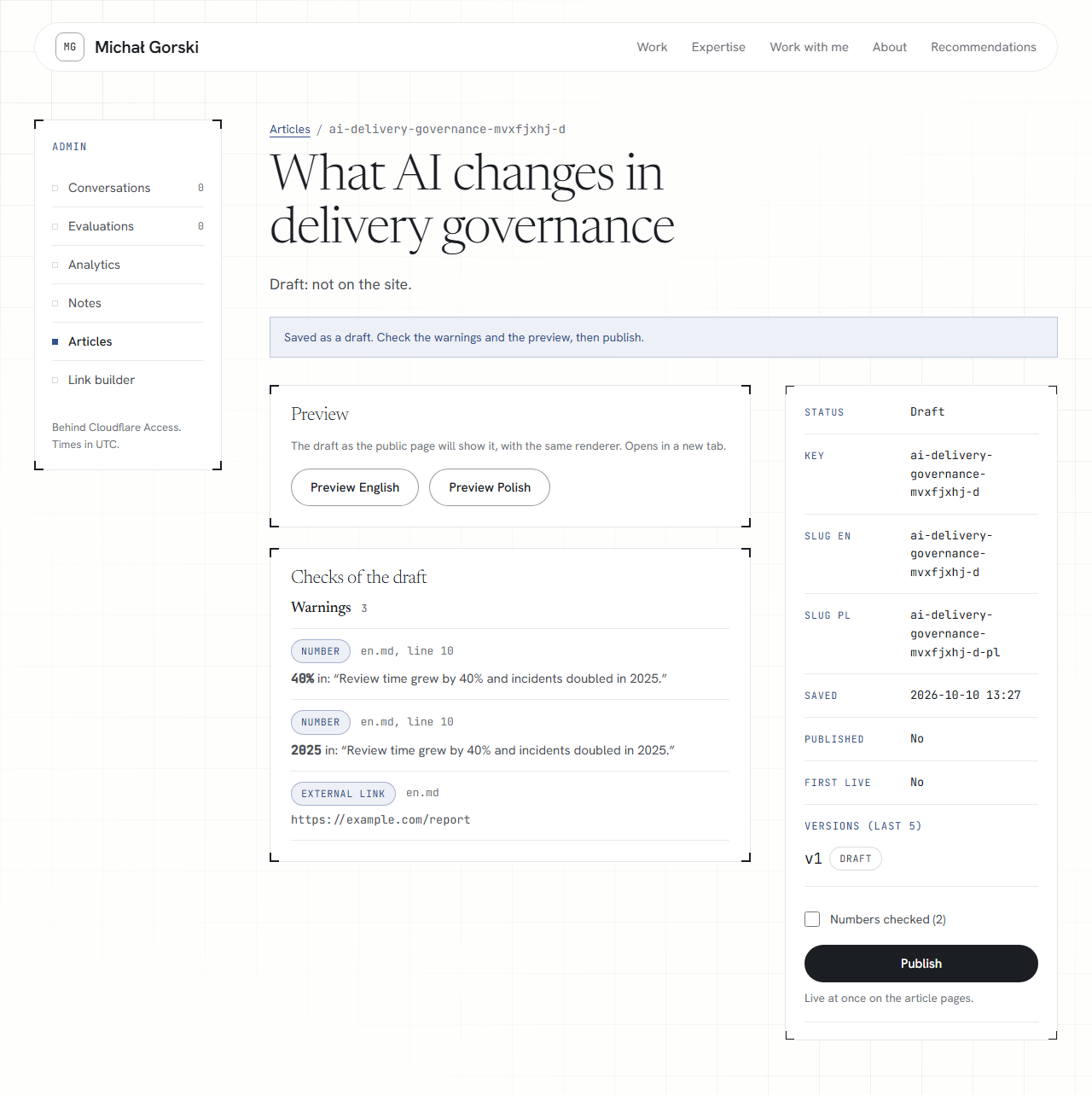
When every package was done, the Dispatcher closed the run with a short message and a full report: what went live, every new sentence visitors can see, the decisions I can still change, one open question, and its own failures with their causes.
The green gates told me the code worked. They could not tell me whether it was what I wanted. That check stays with a person, and it is Part 4.
If I ran your team
I would write down the agent's permissions in one page, the way I did here, and have the team's tech lead sign them off. I would also make the live checks and the automatic rollback a condition before any agent is allowed to deploy.
Downloads
- Sample: Dispatcher report . The closing report of the first run: what went live, new sentences on the site, decisions I can still change, and the Dispatcher's own failures with their causes. Repository links, server details and internal paths removed.
In this series
AI SDLC: cheaper code & new risks to manage- Part 1:Requirements start as a voice note
- Part 2:The agent that does not wait for me
- Part 3:How the agents build: from spec to production without a hand-off
- Part 4:Where the human still decides
- Part 5:What it cost, and why scope never stopped